I have started over with a to-do list more times than I can count. Things, Todoist, Notion, a plain text file, the back of a receipt. Every one of them worked for about three weeks. Then the same thing happened: the list got long, the long list got heavy, and the heavy list started making me feel guilty every time I opened it. Eventually I stopped opening it. The list won by attrition.
For a long time I assumed this was a discipline problem — that I was the broken part and the tools were fine. Then I built my own to-do app, and I changed my mind.
A perfect to-do list isn't one that holds more — it's one that shows less. The classic productivity advice optimizes the wrong variable. It assumes your list is the scarce, precious thing you must protect from clutter. In 2026, your list is not scarce. Your attention is. Once you flip that assumption, almost every "best practice" inverts, and the design of the product changes completely.
Where the rules came from
Most of what we believe about to-do lists traces back, directly or indirectly, to David Allen's Getting Things Done. GTD is genuinely good, and a lot of it has aged well:
- Capture everything. Get tasks out of your head and into a trusted system, so your brain stops being a bad storage device.
- Define next actions. Don't write "taxes," write the literal next physical step: "find last year's return in email."
- Organize by context. Group tasks by where or how you'll do them —
@calls,@errands,@computer. - Review weekly. Sit down once a week and reconcile the whole system so you trust it again.
And the one everybody remembers — the two-minute rule: if a task will take less than two minutes, don't write it down, just do it immediately. The logic is airtight. Capturing, filing, and later re-reading a trivial task costs more than two minutes of overhead, so you should pay the task instead of paying the bookkeeping.
When GTD was written, this was exactly right. But it was right for its world, and that world is gone.
Why the two-minute rule broke
The two-minute rule quietly depends on two assumptions, and both have collapsed.
The first assumption is that tasks arrive slowly. In 2001, work came to you through a handful of channels you checked a few times a day — email, voicemail, a meeting, a memo. The arrival rate of new obligations was low enough that "just do the small ones now" never overflowed.
That is not how work arrives anymore. Slack, Teams, DMs, group chats, email, comment threads, app notifications — tasks now hit you continuously, in parallel, all day. A single Slack thread can spawn five sub-tasks before lunch. Each one is individually tiny. Collectively they are a flood.
The second assumption is that you are free to act when a task arrives. The two-minute rule says do it now. But "now" you are usually in the middle of something — in a meeting, in deep work, on a call, halfway through a different two-minute task. A sub-two-minute task that interrupts a ninety-minute focus block does not cost two minutes. It costs the focus block. The cheap thing turns out to be expensive at the worst possible time.
Then AI arrived and made it worse, in the best way. With an agent I can now have several things in flight at once — a draft being written, a script running, a doc being summarized — that I have to come back to. These are real tasks. Many of them take under two minutes of my time. But I cannot do them this instant, and if I don't record them, they vanish.
So here is the inversion. The two-minute rule says: small tasks are too cheap to capture. The modern reality says: capture is now cheaper than acting, and there are too many small tasks to trust your memory with any of them. The correct move is the opposite of GTD — write down the two-minute task, especially the two-minute task, because that's the one you'll lose.
Once you accept that, you've signed up for a new problem. If everything gets captured, the list explodes. And a list that explodes is the exact thing that made me quit every previous app.
The real bottleneck is attention, not storage
This is the hinge of the whole thing. If the rule is now "capture everything," then the hard problem is no longer getting tasks in — it's keeping them out of your face.
A to-do app that captures everything and shows you everything is just a longer source of guilt. The work of a good to-do list, in 2026, is not storage. Storage is free. The work is attention management: holding hundreds of things while showing you the three that matter right now.
So I wrote down what the product actually had to do, as constraints rather than features:
- Easy to add. Capture friction has to be near zero, from anywhere, mid-anything. If adding a task costs more than the task, you won't add it.
- Easy to glance, anywhere. I should see what's on deck without unlocking, launching, and navigating. The list has to come to me.
- Easy to complete. Checking something off should be one tap and feel good. Completion is the only thing that keeps the list short.
- The list stays short. Not by limiting what you can store — by limiting what you have to look at.
Notice what's missing: no priorities, no due dates, no projects, no tags, no folders. Every one of those is a knob, and every knob is a small tax you pay at capture time and again at review time. The more structure a to-do app offers, the more it asks you to be its administrator. I didn't want to administer a system. I wanted to forget about it.
Two lists, not twelve
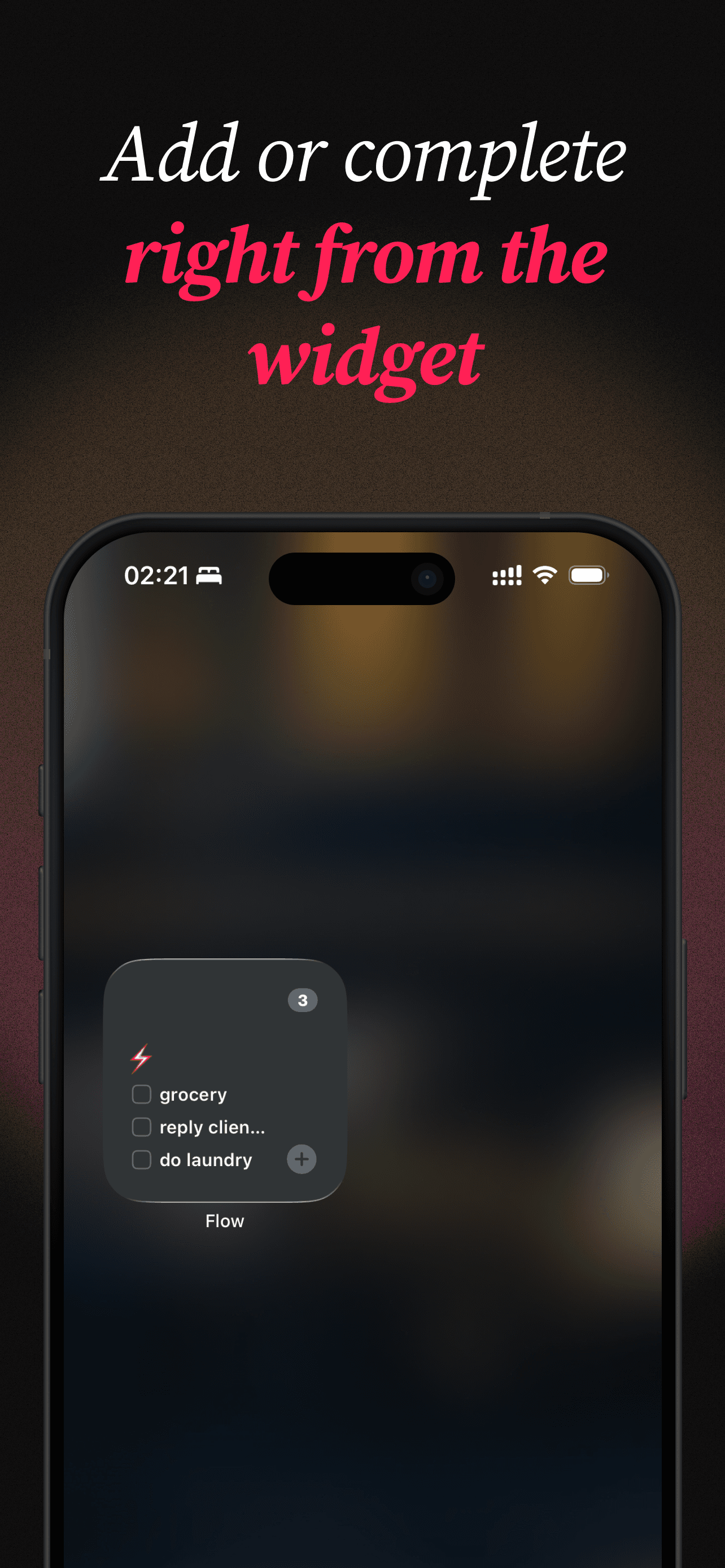
So I built Flow, and the entire design philosophy is one decision made ruthlessly: there are only two kinds of tasks — the ones you need to care about now, and the ones you don't.
That's it. Two lists.
focus⚡ — what's live. The things you're actually working through today, right now. This is a workspace, not an archive.future🪐 — everything else. Captured, safe, out of sight. Things you'll want someday but should not be staring at today.
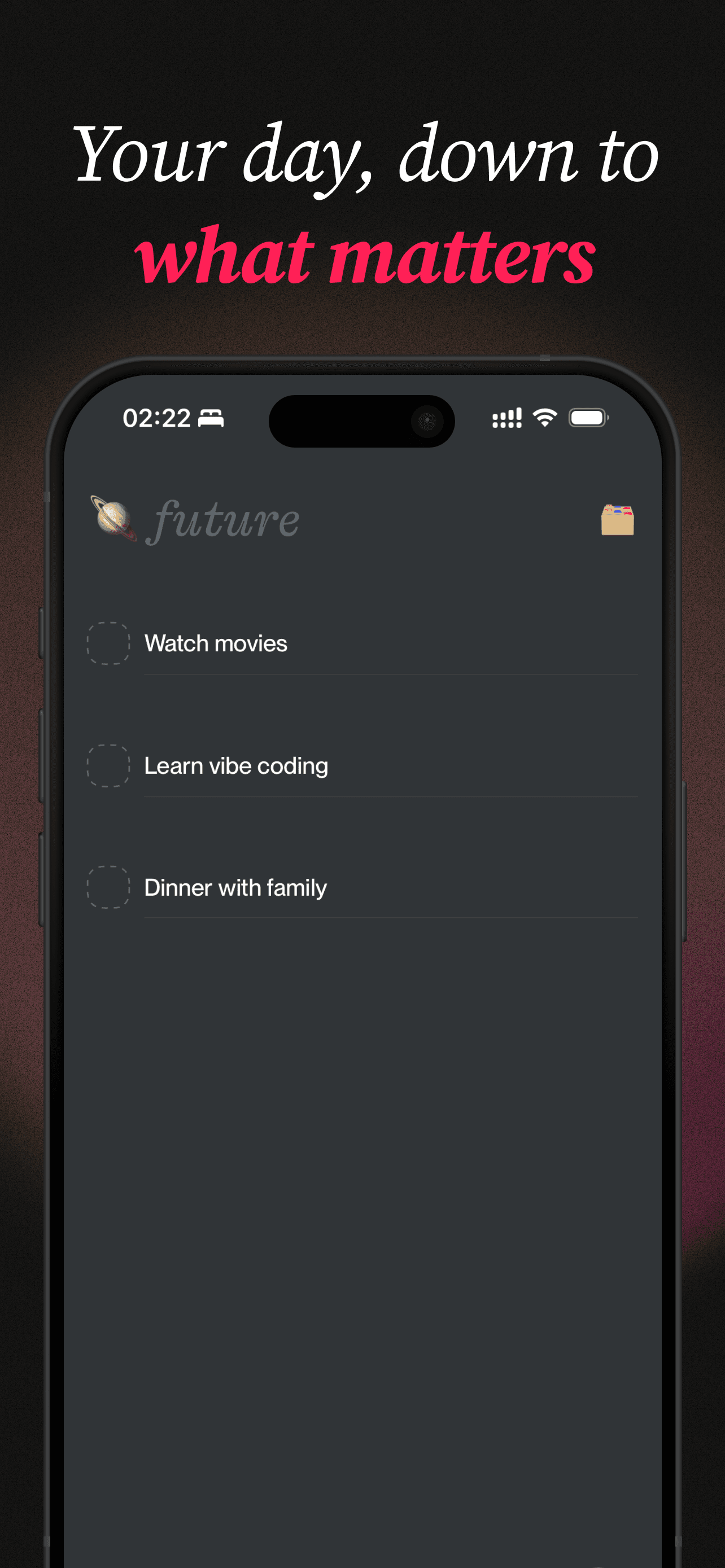
There is no priority matrix, no Eisenhower quadrant, no nested projects, no labels-within-labels. The only act of organization the app asks of you is a single, fast judgment: do I need this in front of me now, or not? That question is cheap to answer and you already know the answer. Compare that to "what priority is this, which project does it belong to, when is it due, what context tag applies" — four decisions for a task that might take two minutes to do.
Categories do exist, but they're deliberately lightweight: an emoji stands in for a whole category, so the list reads as a glanceable strip of icons instead of a wall of colored labels and text. And moving a task between focus and future is a one-tap action — when something stops being today's problem, you flick it to future, and when it becomes today's problem, you pull it back. The two lists aren't a hierarchy you maintain. They're a tide you let things move with.
Let the product do the forgetting
Here's the part that replaces GTD's weekly review.
The classic system trusts you to keep it clean. Once a week, you sit down and reconcile everything — re-file, re-prioritize, archive what's done, resurface what's stale. It works, for the kind of person who does weekly reviews. I am not that person, and I suspect most people aren't. The review is maintenance labor, and maintenance labor is exactly what a tired person skips. Skip it twice and the system rots.
I didn't want a list I had to maintain. I wanted a list that maintained itself. So the product is built to do the forgetting for me.
focus is a workspace, not a graveyard. The whole interaction is tuned to push you toward completing and clearing, not hoarding. You finish something, you check it off, it leaves. The list visibly empties as you work, which feels like progress instead of accumulation — and an empty focus list is the goal state, not an error state. Stuff you're not ready for lives in future, where it isn't nagging you. Nothing demands a scheduled reconciliation, because the reconciliation is happening continuously, one tap at a time, as a natural byproduct of using the thing.
The design does the discipline so you don't have to supply it. That's the whole trick. Any system that depends on the user being conscientious is, in the long run, a system that will be abandoned by a normal human on a bad day.
Capture has to follow you everywhere
The last piece closes the loop back to the two-minute problem. If capture has to be cheaper than acting, then the app cannot live behind an app icon you have to find, tap, and wait for. By the time you've done that, the meeting moved on and the thought is gone.
So in Flow, capture lives outside the app:
- A home-screen and lock-screen widget that shows your
focuslist at a glance — and lets you add a task or check one off without ever opening the app. The list is right there on the screen you already look at fifty times a day. - Control Center integration, so adding a to-do is a pull-down-and-tap away from anywhere in the OS, mid-anything.
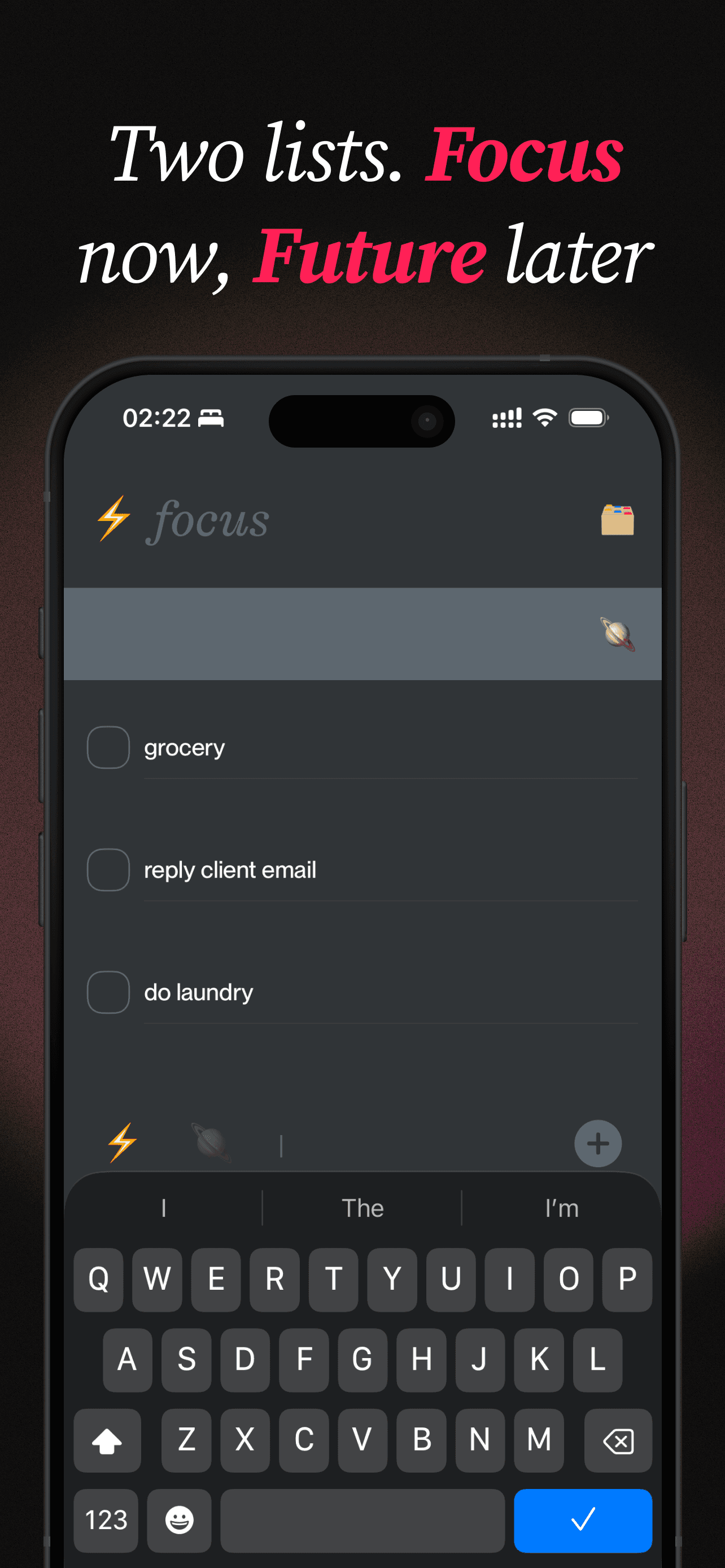
This is what makes "capture the two-minute task" actually viable. The two-minute rule originally existed because capture was expensive — finding the system and filing the task genuinely cost more than the task. Drive capture cost to near zero and the rule loses its reason to exist. Now the cheapest thing you can do with a small, ill-timed task is exactly the right thing: tap the widget, type four words, get back to your meeting, and trust that it'll be waiting in focus when you surface.
What "perfect" actually means
I put "perfect" in quotes at the top because I don't think a to-do list gets perfect by accumulating capability. The most capable to-do app I could build would have priorities, sub-tasks, dependencies, recurring rules, natural-language dates, tags, projects, filters, and saved views — and it would be the exact thing I keep quitting.
Perfect isn't feature-complete. It's friction-complete. The list is good when:
- Adding is faster than deciding not to add.
- Glancing is free and constant.
- Completing is one satisfying tap.
- And the list is short enough that you actually look at it.
GTD got us out of our own heads, and that was the hard, important part. But it was tuned for a world where tasks were scarce and capture was costly. Ours is the opposite: tasks are infinite and capture is free. In that world, the scarce resource you're protecting isn't the list — it's your attention. A perfect to-do list spends almost all of its design budget defending that one thing.
Closing thought
The best to-do list isn't the one that remembers everything. It's the one that lets you forget almost all of it — on purpose — and shows you only what you need to care about right now.